



Text behind you
Words sit between you and the background.
Drop in your clips and say what you want.
Cuts, captions, effects and sound, done for you.
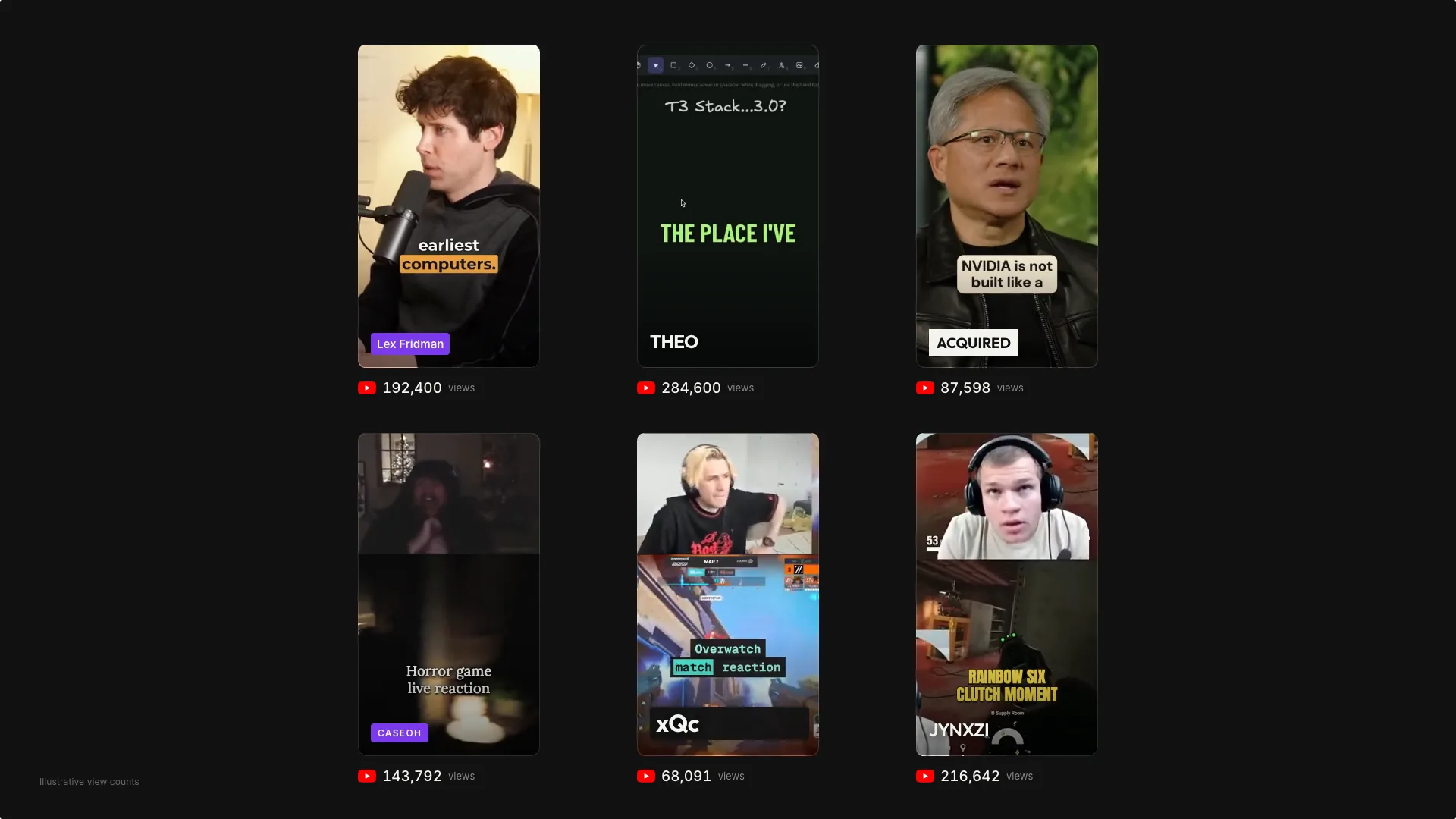
Drop in gaming streams or podcasts and get Shorts and Reels ready to post.
Effects that used to need 
 , done by AI.
Words sit between you and the background.
Captions and stickers follow what moves.
Slow-mo hits on the beat, frame exact.
Reveal through shapes, text, or a moving spotlight.
Two-up, three-up or stacked for vertical.
Word-by-word, styled to your brand.





Connect any MCP client and edit videos straight from your agent.
Try it free for 3 days. Cancel anytime.
For everyone.
Revline is an AI video editor you talk to. Upload raw footage, describe what you want, and the agent cuts, captions and formats it for you. It’s built for creators, podcasters, marketers and teams who publish video but don’t want to live in a timeline.
Podcast clips, vlogs, product demos, tutorials, ads, talking-head videos and social shorts. If you filmed it, Revline can help you edit it.
You describe the edit instead of building it by hand. Revline makes the cuts, captions and framing for you, then you review the result and refine it in conversation.
Yes. Every change the agent makes lands on a real timeline. Trim, move, duplicate or delete clips yourself, and undo anything.
Upload common video, audio and image files, or import a YouTube link. Long recordings are fine.
Ask for them in the conversation. Revline can style captions and titles with its built-in fonts and the colors you choose.
Your projects belong to your account and require sign-in. Your footage is used to prepare your edits and exports.
Revline is one plan at $39 USD per month, after a 3-day free trial. Cancel before the trial ends if you don’t want to continue.
Upload a clip and see what Revline does with it.